Ready to Trip?
Create your private profile and get your travel insights.
Create Your Profile Privacy-first. Fast sign-up.
Download everything you've recorded in Lugara whenever you like.
Open Settings, then Export, and choose a format.
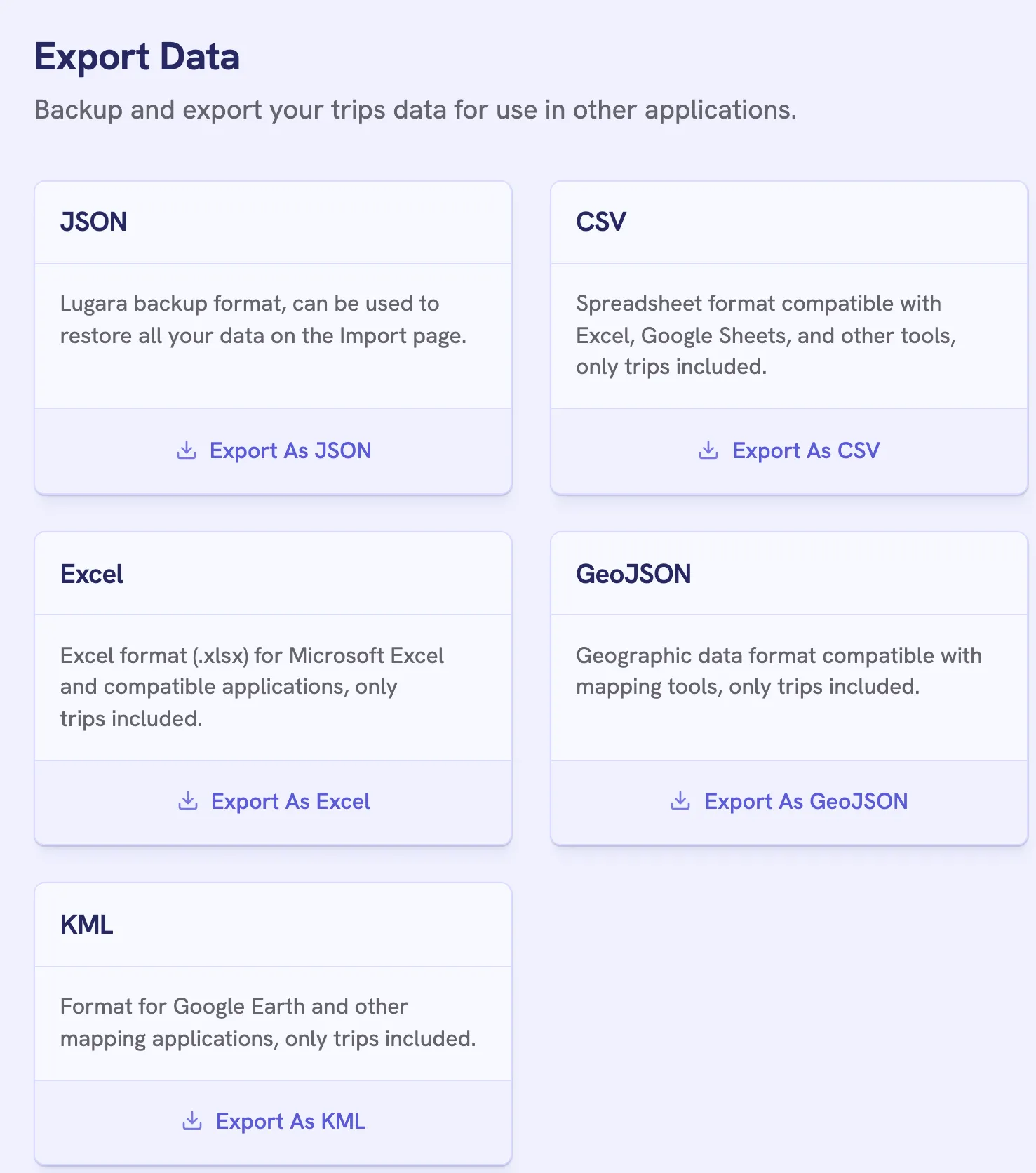
| Format | Holds | For |
|---|---|---|
| JSON | Trips with transport modes, and profile details | Restoring into Lugara |
| CSV | Trips | Spreadsheets |
| Excel | Trips | Spreadsheets |
| GeoJSON | A point for each trip | Mapping tools |
| KML | A place for each trip, with its dates | Google Earth |
The other formats hold each trip’s city, country, coordinates, dates, and source, without the transport mode. They need Lugara Pro, and the JSON backup is free.
API Access, at the end of the Export page, gives you an address that returns your trips as JSON, grouped into past, current, and future. For a public profile, it’s the profile’s address plus .json, such as lugara.me/@yourname.json, and anyone can open it. For a private profile, it includes your API key, so keep it to yourself. Regenerate Key makes the old address stop working.
Create your private profile and get your travel insights.